


Step 1 – Please click on the link below to join the LetsTrade Spotlight Service
Main Channel = https://t.me/+c5xc0kZ2CjhiMDlk
Share Channel = https://t.me/+1RMQR2qciW0yZTFk
If you do not already have Telegram you will be prompted you to install it
You can install Telegram on your Mobile, Tablet and Laptop/Desktop
We prefer to have on both mobile and our main trading machine too
- If using Telegram for the first time you may need to click on this link again after downloading Telegram for the first time
- Main Channel = https://t.me/+c5xc0kZ2CjhiMDlk
- Share Channel = https://t.me/+1RMQR2qciW0yZTFk
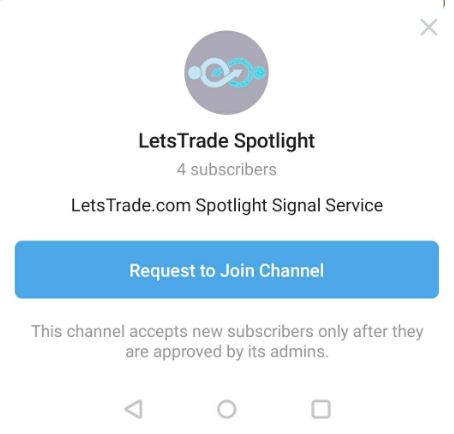
- If Telegram is already installed or after clicking on the above link again post installation – you will see the following message
- Please select the blue button to ‘Request to Join the Channel’
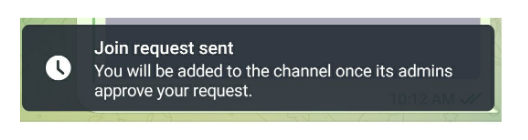
- You will then receive this message confirming we have received your request
Step 3: We will approve your status within 24 hours
-
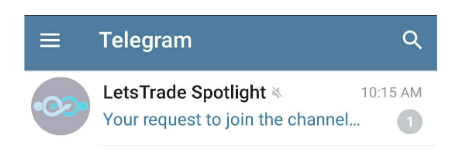
You will know you are approved as the Channel will appear in your Telegram like the below image on mobile
-
On desktop you may need to re-click on this link to check whether you have access yet or not:
-
Main Channel = https://t.me/+c5xc0kZ2CjhiMDlk
-
Share Channel = https://t.me/+1RMQR2qciW0yZTFk
-
-
Please allow 24 hours for us to approve your access
-
We will of course endeavour to do it sooner
Step 4 – Go into the LetsTrade Spotlight Service
-
Whether you have seen the Channel appearing on mobile or re-clicked on the above link on desktop once your access has been approved you will now have Full Access
-
You will start receiving messages as they come in like the below